
Your own number, connected to Xentra
Connect your WhatsApp Business number to Xentra with your Facebook login. Guest messages land in your inbox next to email and SMS, check-in details and door codes go out automatically, and the WhatsApp Business app on your phone keeps working.
Try It Free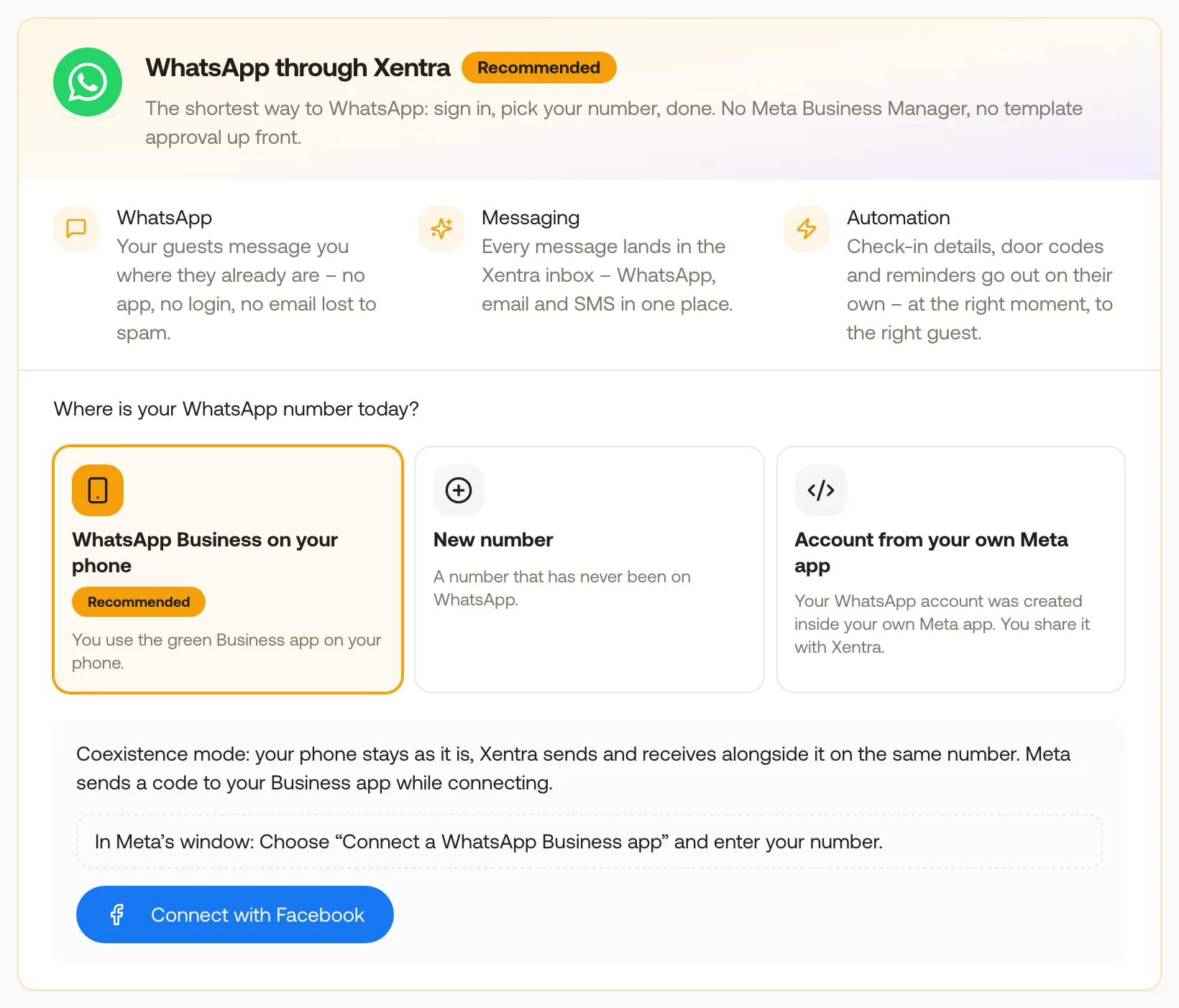
What you gain
Every feature creates value for both sides - you and your guests.
For the Host
Reach guests where they already are
For the Guest
Everything in the app they already use
How it works
A step-by-step look at the experience.
Connect in a Facebook pop-up: sign in, pick your number, done. You do not need to set up a Meta Business Manager or a developer app beforehand.
Already using the WhatsApp Business app on your phone? Keep it. Xentra sends and receives on the same number, and messages you type on the phone also show up in the Xentra conversation. You can also connect a new number that is not yet on WhatsApp.
Automated messages and the first message to a guest need a template approved by Meta. You write and submit templates in Xentra and see Meta's answer right there, including the reason if a template is rejected.
Within 24 hours of a guest's last message you reply freely. After that, Xentra offers your approved templates and fills them with the booking data.
Templates can carry up to two link buttons, for example to online check-in, door opening, the digital guest book or the invoice. Each guest gets their own link.
If a guest has no WhatsApp, the message can go out as a text message instead. This needs a connected Twilio account for SMS.
Meta bills WhatsApp messages directly to your Meta account at Meta's rates. Xentra does not charge extra for WhatsApp.
Feature deep dive
Detailed look at every capability within WhatsApp.
Connect with Facebook
Choose where your number is today (WhatsApp Business app or a new number), sign in with Facebook and follow Meta's pop-up. Meta confirms the number with a code, and Xentra completes the remaining setup by itself.
Template Editor
Header, text, footer and up to two link buttons. Preview with a real booking, a check for common rejection reasons, and a separate version per language, with machine translation as a starting point.
Meta Review
Submit from Xentra. Meta checks right away and approves, rejects with a reason, or reviews by hand, which usually takes a few minutes. You see each template's status: not submitted, in review, approved, rejected or paused by Meta.
Automations and Fallback
Pick WhatsApp as the channel of an automation, with SMS as a fallback or a sequence across channels. An automation only sends once its template is approved, and Xentra warns you if it is not.
Inbox and AI Bot
Two-way conversations with delivery and read status, automatic translation and attachments. The AI bot can also answer on WhatsApp, within 24 hours of the guest's last message.
Connection Status
The connection card shows whether your number is active, your current sending limit at Meta and whether messages are being delivered, with a direct link to the right Meta setting when something needs fixing.
More in Communications
Unified Inbox
Every message, one place
Message Automations
Set it once, delight every guest
AI Messaging Bot
AI replies to guest questions, as drafts or automatically
Contact Database
Everyone you work with, organized
Guest Profiles
Deep insights on every guest
Reviews
Airbnb, Booking.com and Expedia reviews in one place
Direct Communication
Reach guests on any channel